Prerequisites
1. Add the S/4HANA system to SAP Logon
Windows
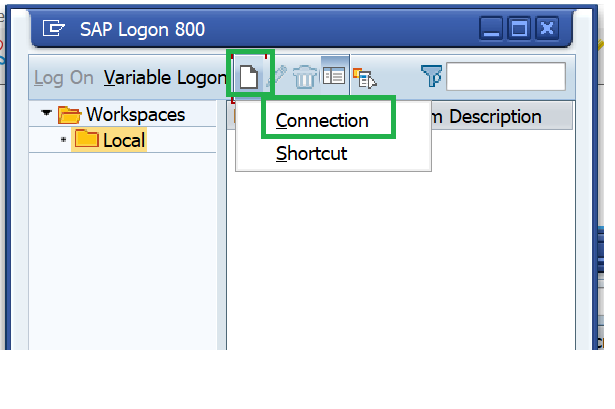
- Click on New and select Connection.
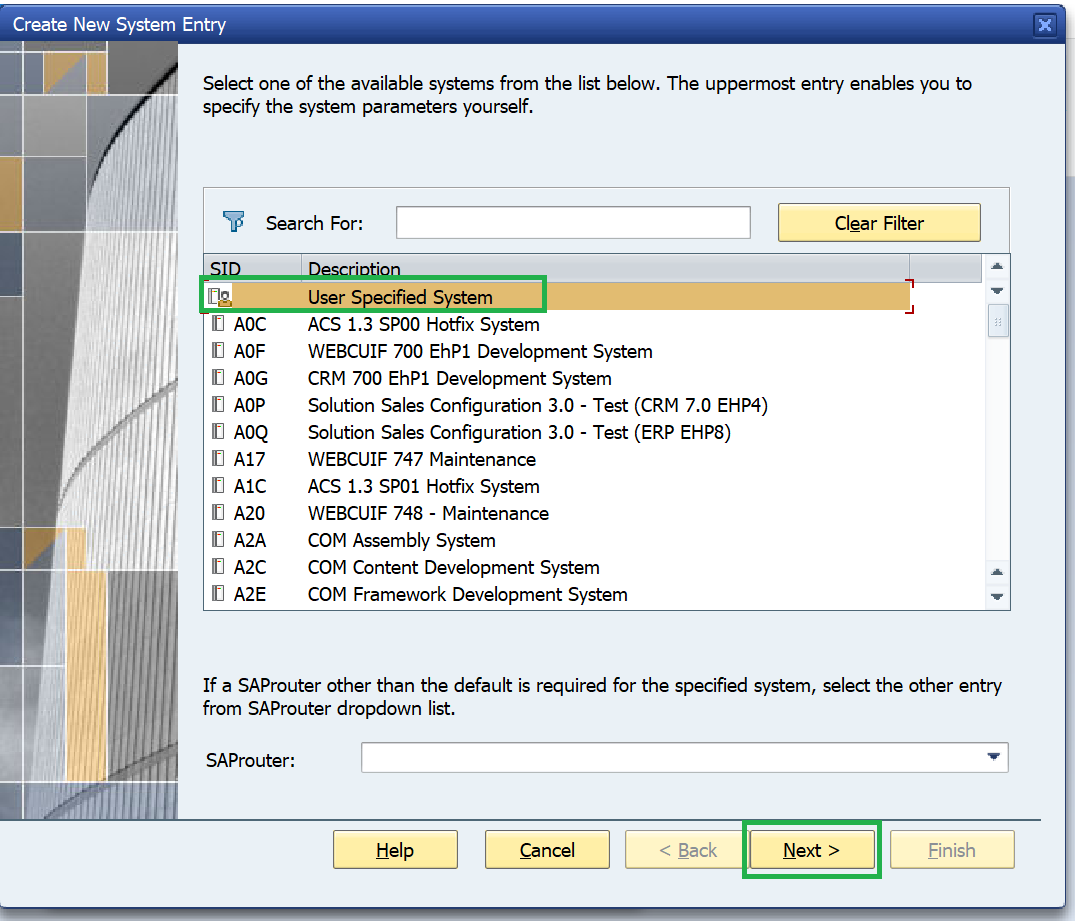
- Select User Specified System and click Next.
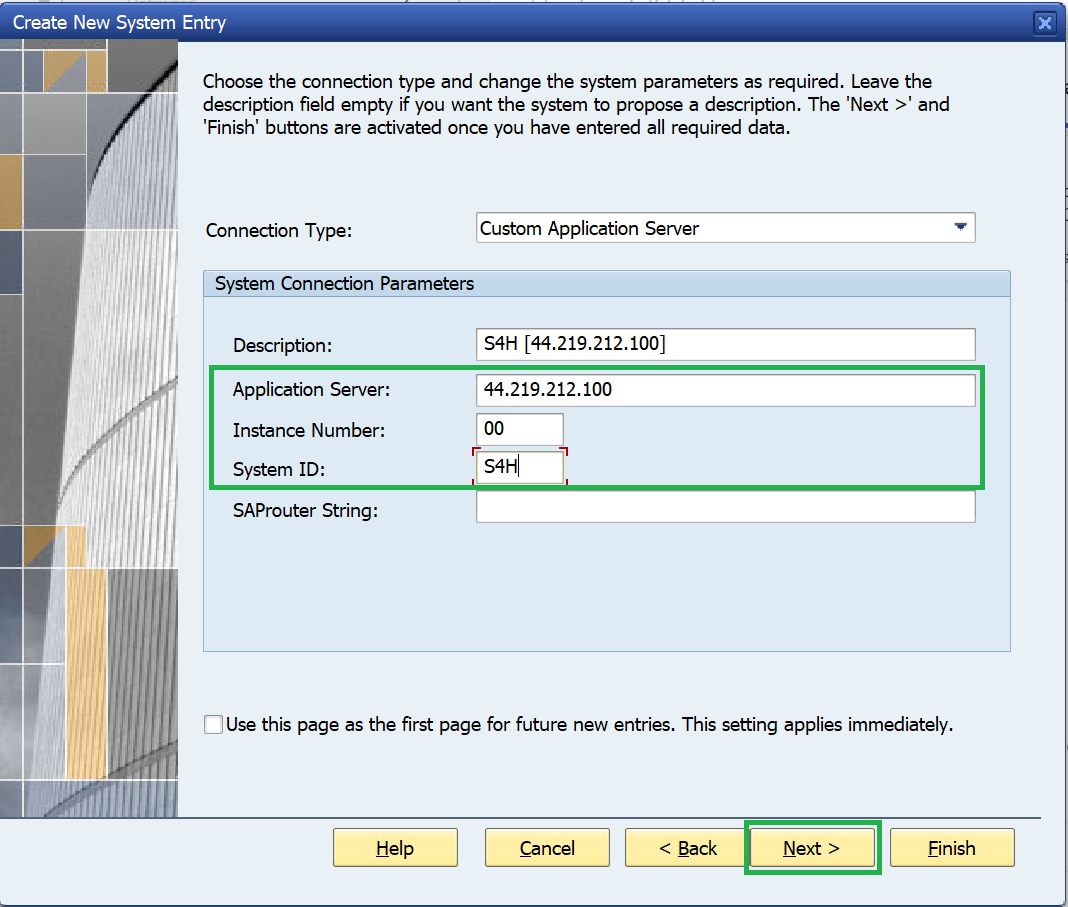
- Enter the system details below (or refer to the cheat sheet if required) and click Next.
- System ID (SID): S4H
- Application Server: 44.219.212.100
- Instance Number: 00
- Client: 100
- Language: EN
- Click Next and Finish.
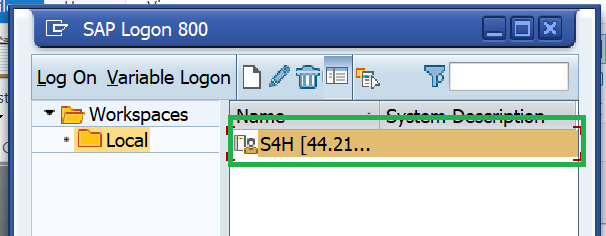
- The system should now be visible in SAP Logon.
Mac
- Open SAP Logon (SAP GUI).
- Click New Entry (the "+" or "New Item" button in the toolbar).
- In the dialog, enter the description and select the Advanced tab.
- Enable Expert Mode and enter your IP address.
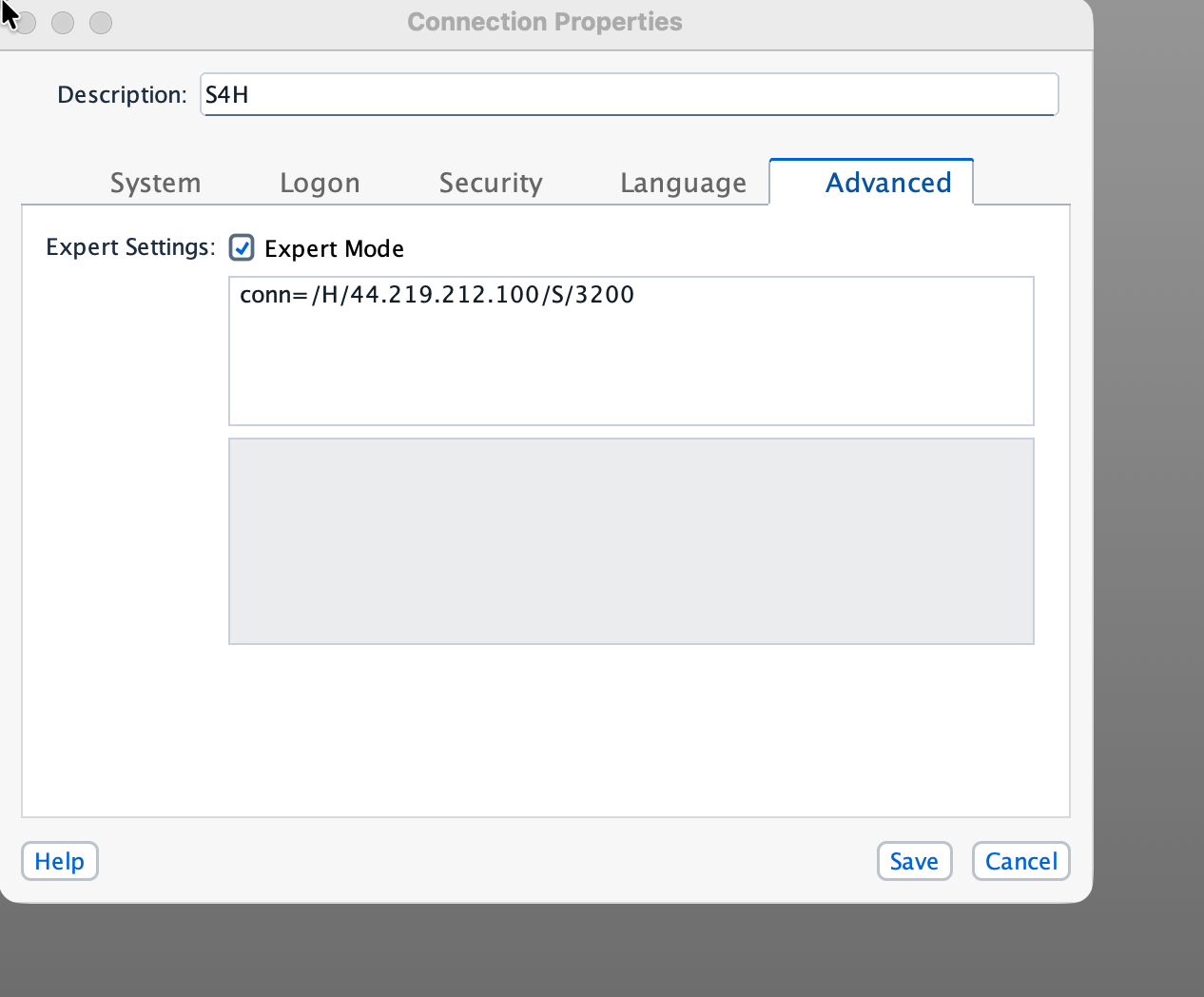
- Click Save. The system should now appear in your SAP Logon list.
2. Attendee ID
Ensures your ISLM Scenario name is unique across all participants.
3. Login credentials (if required)
- If prompted for a login ID and password, refer to the cheat_sheet.
- The user ID and password are the same for both Fiori and Backend ABAP systems.
4. After logging into SAP Fiori Launchpad
Access below applications: